Facebook
RSS
Showing posts with label Pc Freewares. Show all posts

Update for Windows 7 Service Pack 1 to March 2 [Multi] | 471.66 Mb

Update for Windows 7 Service Pack 1 to March 2 [Multi] | 471.66 Mb
Collection of Updates and Patches from Microsoft for 32-bit and 64-bit versions of Microsoft Windows 7 SP1.

Windows 7 Service Pack 1 to March 2


List of updates:
KB947821-v10: System Update Readiness Tool (Windows-CheckSUR) 6.1.7601.21656

KB2023591: migwiz 6.1.7601.21645

KB2254637: Rdbss.sys 6.1.7601.21624

KB2391591: Windows-Kernel32 6.1.7601.21651

KB2394849: Dfssvc.exe 6.1.7601.21640(только x64)

KB2427341-v3: Windows-EnhancedVideoRenderer 6.1.7601.17558/6.1.7601.21658

KB2428216: Windows-IIS-ADSICompatibility 6.1.7601.21640

KB2439186: NLB.sys 6.1.7601.21649

KB2447659-v2: Windows-Win32k 6.1.7601.17558/6.1.7601.21658

KB2457836-v2: Windows-COM-Base-QFE-OLE32 6.1.7601.21624

KB2459268: usb.inf 6.1.7601.21653

KB2465772: Tcpip 6.1.7601.21645

KB2462137: Active Directory 6.1.7601.21624

KB2462182: Stobject.dll 6.1.7601.21661

KB2466373: 6.1.7601.17514/6.1.7601.21624

KB2475792: Windows-Scripting 6.1.7601.17535/6.1.7601.21634

KB2482017: Windows-IE-HTMLRendering 8.0.7601.17537/8.0.7601.21636

KB2488113: Windows-DirectX-Direct3D10.1 6.1.7601.17544/6.1.7601.21643

KB2480118: Spoolsv.exe 6.1.7601.17543/6.1.7601.21642

KB2485986: Hyper-v_model.ps1 7.1.7601.21641(только x64)

KB2487292: Netcfg.exe 6.1.7601.17530/6.1.7601.21628(только x64)

KB2489256: Windows-IIS-FTPSvc 6.1.7601.17550/6.1.7601.21649

KB2491890: Mqqm.dll 6.1.7601.21641

KB2492806: Windows-SMBServer 6.1.7601.21657

KB2495879: wdstptc.dll (6.1.7601.21643-x86)(6.1.7600.20882-x64)

KB2496744: Windows-ErrataManager 6.1.7601.17559/6.1.7601.21659

KB2498472: 6.1.7600.16746/6.1.7600.20886

KB2507840: Windows-ncrypt-dll 6.1.7601.21666

KB2515337: Windows-International-TimeZones 6.1.7601.17568/6.1.7601.21671
Update for Windows 7 Service Pack 1 to March 2 [Multi]
System requirements:
* 1 gigahertz (GHz) or faster 32-bit processor
* 1 gigabyte (GB) of RAM
* 16 GB of free hard disk space
* Support for DirectX 9 interface with the driver WDDM, At least 128 MB of graphics memory.

Year: March2, 2011
Developer: Microsoft
Language: Multi
License: Free
Size: 471.66 Mb

Download From Here
[ Read More ]

Winrar 4.00 Beta 7 Final Download


WinRAR 4.00 Beta


This Is The Last Beta Of v4.00.
WinRAR is a powerful compression tool with many integrated additional functions to help you organize your compressed archives. It can backup your data and reduce size of email attachments, decompress RAR, ZIP and other files downloaded from Internet and create new archives in RAR and ZIP file format.

Changes in Version 4.00:
1. RAR decompression speed is improved. Depending on data type, decompression can be up to 30% faster than in previous versions. Both the general RAR algorithm and most of special RAR multimedia methods benefit from this improvement. The only module of RAR algorithm, which is not affected, is "Text compression" method.
2. Changes in ISO support:
     a) UDF support is upgraded to UDF 2.50 revision. It makes possible to unpack most of Blu-ray ISO files;
     b) when browsing UDF ISO file, UDF revision number is displayed after the "UDF" format name in WinRAR address bar and in archive information dialog;
     c) WinRAR sets the folder modification date when unpacking folders stored in UDF and ISO9660 files.
3. Changes in password dialog:
      a) WinRAR uses the same format of password dialog both when archiving and extracting, so "Show password" option is available also when extracting;
      b) "Organize passwords…" button in password dialog provides access to password organizer interface, where you can specify  your frequently used passwords. You will be able to access these saved passwords using the drop down list or autocomplete feature in password dialog. It is important to know that saved passwords are not encrypted and anybody having access to your computer can view them. Use "Organize passwords" feature only if your computer is protected from unauthorized access;
     c) "Use for all archives" option is available in password dialog when unpacking several archives at once. You can utilize it to apply an entered password to all archives. If you use this option with an empty password, WinRAR will skip all encrypted archives;
     d) Unlike previous versions, the password from default compression profile is not used for extraction. If you wish to use the same password for all extracting archives, press "Organize passwords…" button in the password dialog and define a new password entry, specifying "*" file mask in "Select for archives" field.
4. In Windows 7 WinRAR will display the total operation progress also on WinRAR icon on Windows taskbar. You can disable it using "Taskbar progress bar" option on "General" page of WinRAR settings.
5. Numerous Unicode support improvements allow to process non-English file names more smoothly. These improvements include:
     a) better Unicode handling in WinRAR in "Rename", "Convert", "Find" and other commands, in folder tree panel, in password request dialog and in many other parts of WinRAR interface;
     b) correctly displayed Unicode names in WinRAR items in Explorer context menus;
     c) Unicode support in .lng files, making WinRAR localization possible for Unicode only languages.
6. Changes in -x switch syntax. Now you can specify a wildcard exclusion mask for folders. Such mask must have the trailing ‘\’ character, like -x*tmp*\ or -x*\temp\
7. New "Extract relative paths" option in "Advanced" part of extraction dialog. If you browse some archive subfolder in WinRAR shell and enable "Extract relative paths" option, the path part up to and including the current subfolder will be removed from extracted file paths. For example, if you are inside of "Backup\MyData" archive folder and extract "Images" folder, it will be extracted as "Images", not as "Backup\MyData\Images". This option is the new default extraction mode, but you can change the default back to WinRAR 3.x style. Just select "Extract full paths" and then press "Save settings" in "General" part of extraction dialog.
8. Windows 98, Windows Me and Windows NT are not supported by WinRAR and WinRAR self-extracting modules anymore. Minimum Windows version required for WinRAR 4.0 is Windows 2000. If you need to run WinRAR on older Windows, you can download previous WinRAR versions from ftp://ftp.rarlab.com/rar
9. If TAR, TAR.GZ or TAR.BZ2 archive contains symbolic or hard links and if destination file system is NTFS, WinRAR will create these links when unpacking such archive. WinRAR will create symbolic links as symbolic and hard links as hard in Windows Vista and newer and it will create all links as hard in older Windows. If destination file system is FAT32 or any other not supporting file links, WinRAR will skip links when unpacking TAR, TAR.GZ and TAR.BZ2 archives.
10. Recovery volume processing involves less disk seek operations resulting in higher performance.
11. You can select Windows 7 library in tree panel in extraction dialog and WinRAR will use its default save location as the destination path.
12. "Report" command allows to select HTML, Unicode text and usual text as output format for report file. Unlike previous WinRAR versions, now WinRAR preservers Unicode characters in reports when using HTML or Unicode text format. So non-English characters in file names will be displayed properly in such reports.
13. Message list in GUI SFX archives displays only operation status and error messages. It does not contain names of all extracted files anymore. This change improves the speed and reduces memory requirements for SFX archives containing a large number of files. Also it makes easier to locate error messages, because they are not hidden among extracted file names.
14. GUI SFX archives display "Extract" button instead of "Install" if no "Setup" or "Presetup" commands are present in the archive comment. If you prefer "Install" button, but do not need to execute any setup programs, you can add "Setup=<>" command.
15. WinRAR displays the current percent above the operation progress bar when repairing an archive containing the recovery record and when processing recovery volumes.
16. WinRAR limits the maximum possible volume size to 4 GB minus 1 byte when creating RAR volumes on a disk with FAT or FAT32 file system in volume size autodetecting mode. These file systems do not support 4 GB and larger files.
17. If "Wait if other WinRAR copies are active" option is enabled and WinRAR waits for another copy, you can press "Continue" button in command progress window to force WinRAR to stop waiting. So now "Continue" button allows to override the state of "Wait if other WinRAR copies are active" option for current operation.
18. WinRAR displays one password request instead of two, when saving an encrypted file back to RAR or ZIP archive after modifying it in some external editor. Previous WinRAR versions usually requested the password twice, both when extracting the original file and archiving its modified copy. Only RAR archives with encrypted file names were processed with the single password prompt.
19. New error code 10 ("no files") is added to list of error codes returned in command line mode by RAR and WinRAR. This new code can be returned by archive, extract, delete and repair commands. It means that RAR did not find any files matched the specified file or archive mask.
20. File name area in file overwrite dialog occupies several lines now. It makes possible to display much longer names.
21. Now switch -ep3 converts not only disk letters, but also UNC paths. So \\server\share will be converted to __server\share when archiving and restored to the original \\server\share when extracting with -ep3.
22. New "Background extraction" option in "Advanced" part of extraction dialog places WinRAR into background, when extracting files. You can save its default state with "Save settings" button in "General" part of extraction dialog, just like for other extraction options. "Background archiving" option from the default compression profile does not affect the extraction behavior anymore.
23. "Mode…" button in operation progress window is enabled also when extracting or testing archives. It provides access to "Command parameters" dialog, where you can set "Turn PC off when done" option for extraction and test operations. Previously this dialog was accessible only when archiving.
24. Bugs fixed:
     a) renaming a file in archive could also rename all other files with the same name in other folders of the same archive;
     b) previous versions displayed the wrong total packed size in "Info" command for multivolume CAB archives;
     c) in ZIP archives ‘U’ (update) and ‘F’ (fresh) commands could erroneously update even files not specified in the command line. It happened only for files in current folder which names matched files in ZIP archive. This bug was not present in usual ‘A’ (add) archiving mode.
Homepage – http://www.rarlab.com
Size: 1.38 MB

WinRAR 4.00 x86 (32 bit)
WinRAR 4.00 x64 (64 bit)
[ Read More ]

Folder Frenzy v0.2.1 - Create Multiple Folder In One Click


Folder Frenzy v0.2.1


Folder Frenzy Is A Free Windows Sotware Developed By Fixit Tools.
With The Help Of Folder Frenzy. You Can Create Multi Folder In One Click.
SImply Install It And Get Started.
You know it takes 2 clicks to create a single folder and then you have to rename it to what you want. But what if you want to create multiple ready named folders!? It sure will take a lot of time, right? Well Folder Frenzy is a small tool that helps you create new folders in a click.
Folder Frenzy is a small tool that helps you create new folders.

Download : Folder Frenzy 0.2.1 Free
[ Read More ]

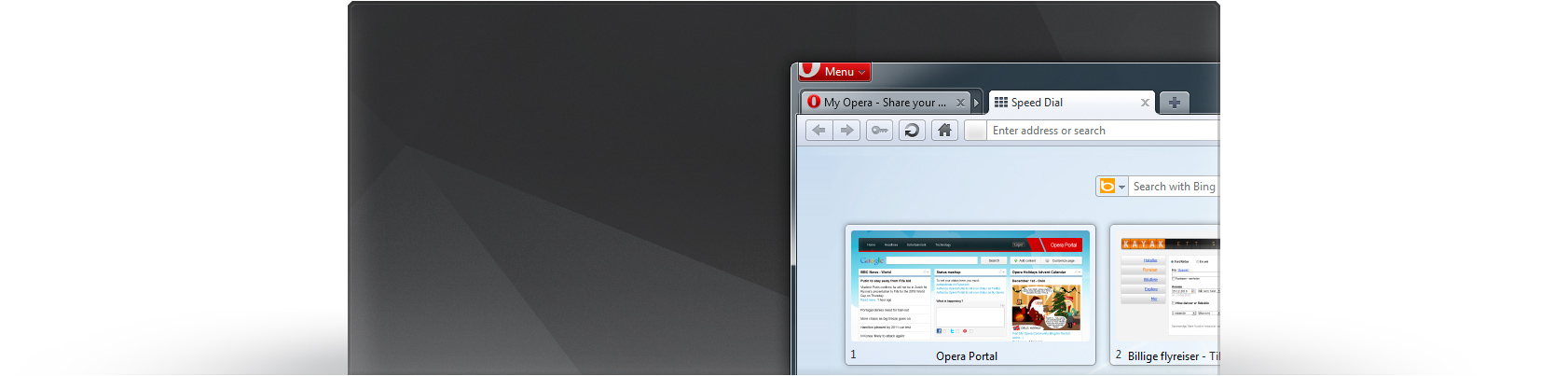
Opera 11.10 Build 2018 ( Barracuda Dev )


Opera is known as the fastest and smallest full-featured browser, a first choice for people using older PCs and Windows 95 and a brilliant alternative to the default IE from Microsoft. Opera, first of all, is client World Wide Web, that is the program for extraction of the information from WWW as the documents created with help HyperText Markup Language (language of a marking of hypertext HTML).

Changes in Opera 11.10 Build 2018 Dev:
Core
    * CORE-34165 (Malware check should ignore intranet URIs)
    * CORE-35189 (Memory usage errors on www.channel4.com/news/catch-up/)
    * CORE-35514 (Opera freezes on some turkish sites)
Desktop
    * New Speed Dial Flow layout
    * Feature discoverability improvements
    * Potential fixes for some reported crashes that have not been reproduced locally
    * DSK-276688 (Can not change mail signature from HTML to plain text)
    * DSK-310758 (Dialog "Opera printing" is hardcoded English)
    * DSK-312815 (POP3 crash on exit)
    * DSK-322763 (Crash saving bookmarks file)
    * DSK-323901 (Mail label created from "save search" also shows non-matching messages that are received after the label is created)
    * DSK-324324 (Sorting message list by label isn’t working anymore)
    * DSK-325103 (Label As submenu from the mail body context menu shows an empty label list)
    * DSK-325160 (Can’t connect directly to a Unite instance)
    * DSK-325608 (Crash after opening Mail Window in separate tab)
    * DSK-326478 ("Sent" view under POP access point shows sent messages for all accounts that use the same SMTP server)
    * DSK-326763 (POP Inbox view is not updated anymore after restart)
    * DSK-326876 (Crash on exit, with either POP or mailing list / feed folders)
    * DSK-327600 (‘saved search’ labels removed after second restart)
    * DSK-327834 (Crash on startup for upgrade from 11.01.1190 to 11.10.24399)
    * DSK-329408 (IPv6 connection failures on Mac/Linux/FreeBSD)
Windows
    * DSK-325978 (Improve (cold) startup performance on machines with slower disks)
    * CORE-35845 (Geolocation module initialisation takes too long to startup)
Linux/FreeBSD
    * DSK-296999 (Crash/exit in when a user attempts to forcibly shut Opera down)
    * DSK-322116 (CSS cursor:progress is using old x11 style cursor)
    * DSK-326370 (X11 File chooser does not always update content)
    * DSK-326611 (Menubar layout doesn’t change when widget style change in KDE4)
    * DSK-326729 (Styling issues for the menubar)
    * DSK-326764 (Opera does not support XSettings protocol)
Homepage – http://www.opera.com
Size: 7.03 MB
Download : Opera 11.10 Build 2018 “Barracuda” Dev
[ Read More ]

Any Video Converter 3.2.0 Free

Any Video Converter 3.2.0 Free

Any Video Converter is an All-in-One video converting tool with easy-to-use graphical interface, fast converting speed and excellent video quality. It allows you to effortlessly convert video files between every format, for FREE! It can convert almost all video formats including DivX, XviD, MOV, rm, rmvb, MPEG, VOB, DVD, WMV, AVI to MPEG-I, MPEG-I, DVD NTSC , DVD PAL, Flash for Video (FLV) , AVI Video and Customized WMV movie formats. Any Video Converter makes it easy for anyone to enjoy any format video with your PSP, mobile phone or MP4 player. It also supports any user defined video file formats as the output. It has an unmatchable speed and high quality. There is open source software to perform almost every task for video conversion. But if you are one of these windows users who are looking for an All-in-One video converting tool with easy-to-use graphical interface, Any Video Converter provides just that, allowing you to effortlessly convert video files between every format, for FREE!

Any Video Converter features include:
• User-friendly interface that is easy to use.
• Converts all video formats MPEG-I, MPEG-I, DVD NTSC , DVD PAL, Flash for Video (FLV) , AVI Video and Customized WMV movie formats.
• Batch convert any video formats including avi, wmv, asf, mpg, mp4, etc.
• Support DivX and Xvid avi format as importing and exporting video
• Support default video/audio settings or user customized parameters for video and audio.
• Has the option to preview the video in real-time before conversion .
• World’s fastest video conversion speed with stunning video and audio quality.
• Supports adjust many video/audio options for MP4 files. For example, video/audio sample rate, bit rate, video size…
Changes in Version 3.18, released on January 27, 2011:

    * 1. Fix the bug that when DVD menu is used, DVD burning error may occur.
    * 2. Optimize YouTube video downloading function.
    * 3. Optimize user interface for Windows 7.

Download : Any Video Converter Free 3.2.0
[ Read More ]

Google Chrome 11.0.686.0 Dev Released


Google Chrome 11.0.686.0 Dev


Google Chrome was developed to be a browser that combines a minimal design with sophisticated technology to make the web faster, safer, and easier.


Google Chrome 11.0.686.0 can now be downloaded through the Dev Channel, with early adopters running Windows, Mac OS X or Linux being invited to take the release out for a spin.

Chrome 11.0.686.0 Dev features a number of improvements, including fixes for stability and compatibility issues.

Testers will be able to notice that the latest release of Chrome Dev will be more reliable when using FTP, and that the bookmark manager and other extensions will also deliver a better experience, thanks to the bugs resolved by the Mountain View-based search giant.

With Build 11.0.686.0, Chrome 11’s JavaScript engine has advanced even further, with V8 updated to 3.1.6.1.

Google has also taken the measure of enabling accelerated compositing by default for all platforms. Still, the company is offering users the option of turning the feature back off by adding --disable-accelerated-layers to the end of the text in the Target field on the Properties dialog box for the Chrome 11.0.686.0 shortcut.

key features of "Google Chrome":

· Speed: Fast to launch, fast to load web pages
· Quick to start up from your desktop
· Loads web pages in a snap
· Runs web applications faster than ever

· Simplicity: Designed for efficiency and ease of use
· Search and navigate to web pages from the same box
· Arrange and organize tabs however you wish — quickly and easily
· Get to your favorite websites with just a click, from the thumbnails of your most visited sites in the New Tab page

· Style: Themes to add delight to your browser
· Try Minimalist, Star Gazing, or Google Chrome Artist Themes.

· One box for everything
· New Tab page
· Application shortcuts
· Dynamic tabs
· Crash control
· Incognito mode
· Safe browsing
· Instant bookmarks
· Importing settings
· Simpler downloads

Changelog For Google Chrome 11.0.686.0 Dev:

All

  • Updated V8 - 3.1.6.1
  • Accelerated compositing turned on by default (use --disable-accelerated-layers to disable).
  • Fixed a bug affecting the bookmark manager and other extensions.
  • FTP: fixed a compatibility issue.
Windows
  • GPU acceleration and WebGL disabled for Windows XP
  • Windows Restart Manager restores Chrome on update-triggered restarts. (Vista/2008+).

Download:Google Chrome 11.0.686.0 Dev

[ Read More ]

CCleaner 3.04.1389


CCleaner 3.04


CCleaner is the number-one tool for cleaning your Windows PC.


CCleaner is the number-one tool for cleaning your Windows PC. It protects your privacy online and makes your computer faster and more secure. Easy to use and a small, fast download.

Release notes:

* Added support for Windows 7 SP1.
* Added Internet Explorer UserData cleaning and management.
* Added Safari cookie management.
* Improved Google Chrome detection.
* Added Google Chrome JumplistIcons folder cleaning.
* Added Opera Icon Cache folder cleaning.
* Added support for Comodo Dragon.
* Added support for SongBird embedded browser.
* Added support for Thunderbird embedded browser.
* Added Registry cleaner for Sound Events.
* Improved Registry cleaning for Unused File Extensions.
* Improved Registry cleaning for Application Paths.
* Added environment variable support in Custom Locations.
* Command line exporting of embedded INIs (/export [folder path]).
* Added cleaning for Excel Viewer, FeedDemon, WinDiff and Last.FM, Free Download Manager, Internet Download Accelerator and Internet Download Manager.
* Improved cleaning for AntiVir Desktop, AVG AntiVirus 10.0 and Windows Media Player.
* Improved system file detection security.
* Minor bug fixes.

[ Read More ]

avast! Free Antivirus 6 Build 1000


avast! Free Antivirus 6


avast! Free Antivirus is perfect for people who send e-mails and surf popular websites.


avast! Free Antivirus is perfect for people who send e-mails and surf popular websites. avast! is a package of applications that aim to protect your computer from a possible virus infection or other malware threat. If you use it correctly, and in combination with other programs such as data backup utilities, it will significantly reduce the risk of your computer being attacked or infected by a virus, and thus the risk of losing important or private data.

avast! Free Antivirus represents the best free antivirus protection currently available on the market. This edition is FREE OF CHARGE for non-commercial & home use. Its features include:

* Anti-spyware built-in
* Web Shield
* Anti-rootkit built-in
* Automatic updates
* Strong self-protection
* Virus Chest
* Antivirus kernel
* System integration
* Simple User Interface
* Integrated Virus Cleaner
* Resident protection
* Support for 64-bit Windows
* P2P and IM Shields
* Internationalization
* Network Shield

What's New:

Main changes/improvements:
· AutoSandbox - suspicious programs will be optionally run sandboxed
· avast! WebRep - browser plugin for website reputation rating; a combination of data from our virus lab and community voting
· Script Shield now even in the Free AV
· Site Blocking now even in the Free AV
· Restore factory settings command (Settings - Troubleshooting)
· Automatic actions in the boot-time scan
· New compression method in the installer makes the setup packages about 20% smaller.
· Script Shield now functional even with IE8/IE9 Protected Mode
· Sidebar gadget
· Improved stability/compatibility of the Behavior Shield
· Improvements in the avast! sandbox

[ Read More ]

SISContents v1.7.0 ( 1.7 ) build 65 {Tool for unpack, edit and sign Symbian SIS packages}


SISContents 1.7.0


SISContents is a tool that allows you to unpack, edit and sign Symbian 9 SIS packages (Nokia S60 3rd, 5th Edition and Sony Ericsson UIQ 3.x platforms are supported). It helps you to inspect the files contained in SIS package, to see certificates against which it was signed as well as to view the PKG script that describes the on-device installation process.


You can also edit the contents of packages and sign them after that.
Main features of SISContents:
- read the contents and show information on SIS packages;
- unpack files from SIS packages;
- extract embedded components of packages as sis files (including certificates and signatures);
- view and save installation PKG script;
- sign packages, show information on certificates (validity period, issuer, subject, etc.), and delete them from package;
- edit package: modification of name, vendor, version, type of installation, supported platforms (devices), software dependencies, options is available. You can also add, replace and delete files/components containing in a package and change capabilities, UID3, SID of executables (i.e. exe, dll, ldd, etc.);
- read the contents and unpack files from N-Gage packages;
- extract and edit contents of mif files embedded in sis packages;
- view, extract images from and edit multibitmap (mbm) files embedded in sis packages;
- modify themes for S60 platform.

Compatibility: Windows XP/2003 Server/Vista/2008 Server/Windows 7

Change log:

- Added the ability to create sis package on the basis of PKG script;
- Fixed version 1.6.5.

Release date: 24.2.2011

[ Read More ]

Nokia Ovi Suite 3.0 Beta Final (3.0.0.290)

Nokia Ovi Suite 3.0 Beta : Manage contacts, music, maps, and more. Back up your phone and update its software.


What's new in Nokia Ovi Suite 3.0


A new Home view

  • Get quick access to your content and to sync
  • View recommended apps and games from Ovi Store
  • View recommended music from Ovi Music *
  • Receive notifications to update your phone software and to back up your phone
  • Connect to the internet without a fixed connection or WLAN

Introducing Ovi Music

  • Get full control of playback
  • Discover and download your favourites from the millions of tracks available on Ovi*
  • Drag music to and from your phone
  • Have access to your Ovi Music Unlimited account *
  • Get all the features you need in Nokia Ovi Suite - no need for a separate player

Other improvements

  • Experience the faster and simpler installation
  • Delete individual maps from your phone, download maps with greater reliability
  • Enjoy improvements to syncing and stability

[ Read More ]

foobar2000 1.1.2 Final


foobar2000 is an advanced freeware audio player for the Windows platform. Some of the basic features include full unicode support, ReplayGain support and native support for several popular audio formats. Foobar2000 isn’t just for early adopters or software jukebox fetishists. It doesn’t mess with fancy buttons or bright colors, instead preferring a utilitarian, straightforward user interface to let the music speak for itself. foobar2000 uses tabs and panels to help the user navigate its plain, but functional, user interface. You can customize the interface using several layout options. Menu options and recognizable command buttons reside at the top of the window. Two panels, each with tabbed menus, reside on the left side of the window. From there, you can view the album list and the properties of a selected artist or song. You’ll also find tabs for viewing a spectrogram, a spectrum, and VU meter of music currently being played, display album art, and synchronize with portable players including iPods.
Main features:
• Supported audio formats: MP3, MP4, AAC, CD Audio, WMA, Vorbis, FLAC, WavPack, WAV, AIFF, Musepack, Speex, AU, SND… and more with additional components.
• Gapless playback.
• Full unicode support.
• Easily customizable user interface layout.
• Advanced tagging capabilities.
• Support for ripping Audio CDs as well as transcoding all supported audio formats using the Converter component.
• Full ReplayGain support.
• Customizable keyboard shortcuts.
• Open component architecture allowing third-party developers to extend functionality of the player.
Operating System:  Windows XP – SP2 or newer, Windows Vista, Windows 7, Windows Server 2003, Windows Server 2008.

Changes in foobar2000 1.1.2:
* New foobar2000 application icon.
* oobar2000′s volume slider is now synchronized with Windows Mixer application volume slider on Windows Vista and newer.
* Progress of various operations is now displayed on Windows 7 taskbar.
* Fixed various freedb related bugs; freedb support works again.
* Fixed 1.1.1 regression with Media Library configuration reset when upgrading from versions older than 1.1.
* Fixed 1.1.1 regression with Media Library being stuck in “initializing” state if foobar2000′s portable installation files are inside one of the watched folders.
* Improved startup time and memory usage with very large media libraries. [beta 4]
Download : foobar2000 1.1.2 Final
[ Read More ]

Opera 11.01 Build 1179 Dev Snapshot


Opera is known as the fastest and smallest full-featured browser, a first choice for people using older PCs and Windows 95 and a brilliant alternative to the default IE from Microsoft. Opera, first of all, is client World Wide Web, that is the program for extraction of the information from WWW as the documents created with help HyperText Markup Language (language of a marking of hypertext HTML).
Low requirements to resources of system. Opera will work even on 386 computer about 6 MB of operative memory. MDI the interface. You can open without special expenses of memory any quantity of windows inside one working window, having chosen thus a tabulared or cascade mode.
Opera started out as a research project in Norway’s largest telecom company, Telenor, in 1994, and branched out into an independent development company named Opera Software.
Download : Opera 11.01 Build 1179 Dev Snapshot
[ Read More ]

Nokia Beta Labs Ovi Suite 3.0.0.271 Beta 3


Nokia Ovi Suite - a set of programs for mobile phones Nokia, is a further development of the Nokia PC Suite. With the Nokia Ovi Suite applications you can without any effort to clean up data and share it with your Nokia device to your computer and vice versa. This is an application designed to work on a personal computer, has been completely redesigned. It has become easier, more powerful, faster, and now the important information will always be at your fingertips ...

Ovi Suite allows you to do the following:
* Synchronize your mobile phone with an online service Ovi;
* Synchronize your mobile phone and computer (supported by work with the IR port, Bluetooth and a cable);
* Create backup copies of files from the phone;
* Send a note to a mobile phone pictures, ringtones and video files;
* Edit the phone book;
* Install a variety of applications (Java and Symbian);
* Review and delete SMS and MMS;
* Use your phone as a modem (if supported by phone) to connect to the Internet
* Update the phone software;
* Download maps for Nokia Maps ...


System Requirements:

· Nokia device: Nokia Ovi Suite 2.0 supports over 100 different Nokia S60 and S40 devices with more being added all the time. It should work on all Nokia devices based on S60 3rd Edition, S60 5th Edition, or S40 6.1 or newer.
· 2GB hard disk space
· 1GHz Intel Pentium 4
· 64MB display memory
· 512MB RAM
· 1024x768 resolution
· 24-bit color graphics card


What's New:

· Various crash corrections, for example "crash when editing playlists", crash when transferring music to device and many more issues
· If you birthday information to a contact and don't specify year of birthday, current year will be used.
· Fixes to situations, where after update of Nokia Ovi Suite, device was not correctly found via USB cable.
· Fixed issue in home view, where sometimes music album art and music track name didn't match
· Fixed situation, where in restore operation got stuck, if the phone connected to charger, when starting restore operation
· Windows 7 pinning into Windows 7 task bar fixed
· Latest translation updates taken into use.
· Fixed situations, where error message didn't fit into dialog.

[ Read More ]

{PC} Opera Web Browser 11.00 Build 1156 Final


One of the fastest, smallest and smartest full-featured web browser

The most full-featured Internet power tool on the market, Opera includes tabbed browsing, pop-up blocking, integrated searches and advanced functions like Opera's groundbreaking e-mail program, RSS Newsfeeds and IRC chat. And because we know that our users have different needs, you can customize the look and content of your Opera browser with a few clicks of the mouse.

The Opera Web browser offers several new features for functionality, security, usability, customization, searching, saving, taking shortcuts and accessing Web content.

Whether you're going to work, working from home, developing Web sites, or just looking for a quick, solid browser that can help you quickly access the Internet, Opera delivers a superior Web experience for every aspect of your online life, with lots of tech tools for power users.
Here are some key features of "Opera Web Browser":

Speed Dial:
· Now you have a new way to access your favorite Web sites. Just open a new tab to get your Speed Dial. It's easy to populate and addictive to use.

BitTorrent:
· You don't need a separate BitTorrent application to download large files. Simply click a torrent link and start the download.

Site preferences:
· Want to view a site in a different way or deny certain cookies? Want to block pop-ups on certain sites only? Right click and select "Edit site preferences".

Thumbnail preview:
· It is easy to have many tabs open at once in Opera. But exactly which tab had that video you wanted? Hover your mouse on any tab to see a thumbnail preview.

Fraud protection:
· Opera's advanced fraud protection protects you against web sites that try to steal your personal information.

Add your favorite search engines:
· Right-click on the site's search field and select "Create search" from the menu.

Widgets:
· Small Web applications (multimedia, newsfeeds, games and more) that make your desktop experience more fun. Use the Widgets menu to discover new widgets and access your favorites.

Transfer manager:
· View download progress and access all your downloads from one simple transfer manager window.

Password manager:
· The password manager remembers your usernames and passwords so you will not have to.

Mouse gestures:
· Opera supports mouse gestures, allowing you to perform certain movements with the mouse to access commonly used features.

Notes:
· Notes can be kept in conjunction with a Web site you want to refer to later, or remind you of any particular information you may like to review again.

Keyboard Shortcuts:
· Keyboard shortcuts - like mouse gestures - make your browsing faster and more efficient. Read more about all the keyboard shortcuts in Opera.

Tabbed browsing:
· Surf the Web easier and faster by opening multiple Web pages within the same application window

Integrated search:
· Search Google, eBay, Amazon and more with our integrated search field. You can also search directly in the address field using keywords

Fast Forward:
· Fast Forward will detect the most likely "next page" link and greatly simplify navigation in multi-page documents such as search results and image galleries.

Voice:
· The voice feature allows you to control Opera's interface by talking and to have documents read aloud. Voice is currently offered in English

Full-screen mode:
· The F11 key toggles Opera's projection mode, using the whole screen for browsing and, if a projection style sheet is present, displays 'slides' suitable for presentation.

Kiosk mode:
· Opera supports kiosk mode - a lock-down mode in which the browser can be used for unattended computers in public places.

Opera mail:
· Our built-in POP/IMAP E-mail client is a combined e-mail program, news reader, mailing list organizer and RSS/Atom newsfeed reader.

Standards support:
· We take pride in supporting all major Web standards currently in use, including CSS 2.1, XHTML 1.1, HTML 4.01, WML 2.0, ECMAScript, DOM 2 and SVG 1.1 basic.

Requirements:

· 20 MB of free disk space.

What's New in This Release:
· New features and improvements
Address field:
· An improved address field makes it easier to stay safe on the Web, and it now hides the complexity of long web addresses. It also provides more security information to help you stay safe when browsing; just click the badge for the website to see security information about the site you are visiting.
· All webpages get a badge to the left of the address field. The badge replaces protocols like HTTP, HTTPS, and opera:, which are shown only when focusing on the address field.
· Clicking the badge provides a easy overview of the potentially more complex security state of the current web page.
· Parameters at the end of web addresses are visually hidden until the address field is focused. You can disable this with opera:config#UserPrefs|HideURLParameter if you still want to see the whole address all the time.
· There is now a badge indicating that you are browsing with Opera Turbo on. Clicking this badge gives information about estimated data s...

[ Read More ]

New Yahoo Messenger 11.0.0.1751 Beta For Pc

Yahoo has announced the first beta of the upcoming Yahoo Messenger 11. The 1st beta of the most popular instant messaging client comes with a many new advanced features. Now social games and the possibility to keep up and chat with Twitter and Facebook friends. Now you can chat with your Facebook™friends right from your Messenger. Now Yahoo Messenger comes with social games from Zynga and others.
Main Features in Yahoo Messenger 11 Beta:
Chat with Facebook friends:
What's more, Yahoo Messenger 11 also enables you to chat with your friends on Facebook Chat via the dedicated instant messaging client. This feature should come in handy for those wanting to connect to friends on both networks. Facebook, of course, does not have an official desktop client for Chat.


Play Games Inside:
Yahoo Messenger 11 beta release is the integration of social games from a number of companies in Yahoo Messenger. This is part of a company-wide move and Yahoo just announced that these games will now be available through a number of its properties. For now, you can play Fishville and Mafia Wars from Zynga (not yet available), Balloono, Pool, Draw My Thing from OMGPOP and Happy Harvest as well as Happy Manor from Elex. You will be able to play these games in a dedicated window while Yahoo Messenger is running. And, since these are social games after all, you can share activities with your friends and interact with them just like you would on Facebook.


Update your status on Yahoo, Facebook and Twitter:
The second big new feature is part of yet another company-wide move. Yahoo has been working on integrating more social features into its products as well as integrating Facebook and Twitter. With Yahoo Messenger 10, users were already able to keep up with their friends on a number of sites and social networks via the Yahoo Updates service.
Yahoo Messenger 11 takes it one step further with the ability to share a status message with your Messenger friends, everyone else via Yahoo Updates and also on Facebook or Twitter, all at the same time.


Yahoo Messenger for Android with voice chat and photo sharing:
Finally, the third big theme for Yahoo Messenger 11 is universal availability. The idea is to make it possible to continue a conversation regardless on what device you're on at the moment, your laptop, your tablet or your smartphone.
For this, Yahoo has finally introduced an official Messenger client for Android phones. The Android app is feature packed and you can make video calls (on supported devices, MyTouch 4G and EVO for now) as well as share photos and videos.


Still no support for Windows Aero:
On the downside, Yahoo Messenger 11 Beta comes with the same non-native, colorful themes that have been the norm for a few versions now. If you're looking for something that will integrate well with your Windows 7 install, this isn't it, Yahoo Messenger still stands out like loud, purple unicorn at a funeral.

Stay Signed in on Multiple PCs:
With Yahoo Messenger 11 an age-old rule has been broken, you can now stay signed into multiple devices at the same time. Any message you receive will be forwarded to any of your desktops or laptops at the same time so you won't miss it regardless of where you are at any time.


Conversation history available from any PC:
In order to make this even more seamless, any stored conversations will be available on any device at any time. Until now, only conversations saved with the web client at webmessenger.yahoo.com were available on any device across different sessions.
Now, this has been extended and you have access to recent conversations on any PC where you use Yahoo Messenger 11. This means that the conversations are saved in the cloud, convenient but maybe a bit creepy for the privacy conscious.


Download New Yahoo Messenger 11.0.0.1751 Beta:
[ Read More ]

Download Google Chrome 8.0.552.0 Dev Stable - A browser combines minimal design with sophisticated technology

Download Google Chrome 8.0.552.0 DevStable Free - A browser that combines a minimal design with sophisticated technology


Google Chrome was developed to be a browser that combines a minimal design with sophisticated technology to make the web faster, safer, and easier.

One box for everything
Type in the address bar and get suggestions for both search and web pages.
Thumbnails of your top sites
Access your favorite pages instantly with lightning speed from any new tab.
Shortcuts for your apps
Get desktop shortcuts to launch your favorite web applications easily and quickly.
Here are some key features of "Google Chrome":

· Speed: Fast to launch, fast to load web pages
· Quick to start up from your desktop
· Loads web pages in a snap
· Runs web applications faster than ever

· Simplicity: Designed for efficiency and ease of use
· Search and navigate to web pages from the same box
· Arrange and organize tabs however you wish — quickly and easily
· Get to your favorite websites with just a click, from the thumbnails of your most visited sites in the New Tab page

· Style: Themes to add delight to your browser
· Try Minimalist, Star Gazing, or Google Chrome Artist Themes.

· One box for everything
· New Tab page
· Application shortcuts
· Dynamic tabs
· Crash control
· Incognito mode
· Safe browsing
· Instant bookmarks
· Importing settings
· Simpler downloads

What's New in This Release: [ read full changelog ]

· It contains a number of stability and other improvements. More details about the changes are available in the SVN revision log. If you find new issues, please let us know by filing a bug.
  
[ Read More ]

FLV Direct Player

Download for FREE now!
FLV Player can be used with a variety of media formats, including MPEG-4 and Flash Video (swf, flv) meaning that you can download and play content from most video sites on the web, including YouTube.
With its resizable window, full-screen playback options and customized video search engine, FLV Player is the most user friendly player of its kind.
FLV Player at just 2.12 Mb, it makes for a quick, hassle free download.
Unlike other Flash Video players available online, which charge all sorts of download fees, FLV Player is 100% free!

[ Read More ]

Actusoft Free Video Converter

Actusoft Video Converter - Video format Converter - Box


Actusoft Video Converter, as a perfect all-in-one solution for conversion, it can finish your work in a few clicks. It supports converting various videos to MP4, AVI, WMV, VCD, SVCD, DVD, 3GP, MPEG1, MPEG2, FLV, etc., and extracting  MP3, AAC, AC3, OGG, RA, WAV, WMA from the videos.
 
Direct DVD converting. Add video files directly from DVDs. Just select the DVD you want to convert, choose the format you want to use, and then click the start button. Its that easy!

Actusoft Video Converter allows you to preview the movie before converting gets started, clip your favorite segments freely, customize the output parameters, automatically shut down the computer, convert files in batches, etc.

Incredibly easy to use for both beginners and advanced users, Actusoft Video Converter will never disappoint you with its fantastic performance.
                                           Free Download Actusoft Video Converter
[ Read More ]

YouTube Flash Grabber

YouTube Flash Grabber

 
YouTube Flash Grabber
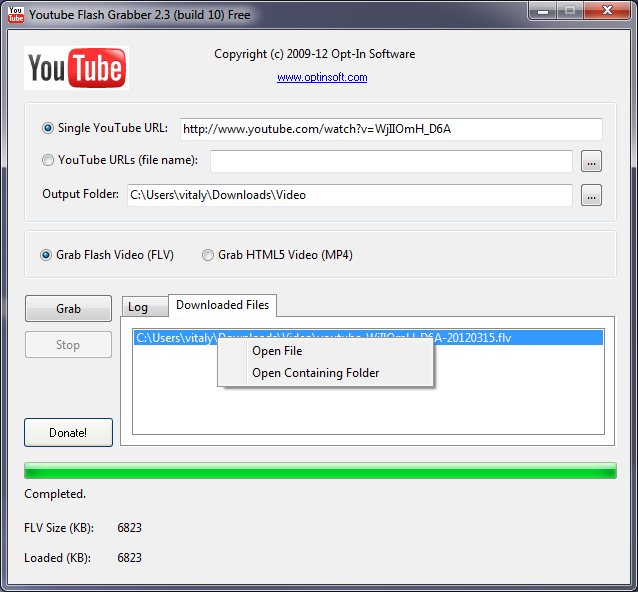
Free program to download flash (FLV) and HTML5 (h.264) videos from YouTube to hard drive.
You can specify single or multiple URLs to YouTube web pages.
Just click 'Grab' button and after downloading you can watch your favorite YouTube videos offline.

Since version 2.0, YouTube Flash Grabber is able to grab HTML5 (h.264) YouTube video.
Download Latest Version (Windows NT, 2000, XP, Vista, 7)
YouTube Flash Grabber 2.0 (build 6, released 2010-05-05)
[ Read More ]

Polaris-Software's Free Video to MP3 Converter

 
Free Video to MP3 Converter is an easy to use free program for extracting MP3 audio files from any video file (including YouTube's FLV format).
 
This program supports 3G2, 3GP, ASF, AVI, FLV, MOV, MP4, MPG, RM, SWF, VOM, WMV video formats. It can batch process an unlimited list of files, and convert them into MP3 format. The quality of the output can be set from 32kbps (low quality, small file) to 320kbps (high quality, larger file).

Using this program is as easy as adding the files to be converted (click Add Files button), specifying output folder and output quality, and clicking Convert button.
 
 
[ Read More ]